Using MySQL, it is almost impossible to decode or make it human readable; however, the Activity Setting Report will show the human-readable version of the restrictions.
Available from 5 July 2025 (hidden otherwise)
Generating human-readable availability information for many activities or modules may take extra time and can slow down your system, especially in big courses or large reports. Please be patient and consider filtering or paginating your results for best performance. You can also use the Scheduler and run the report at night time or when your site is not busy.
The conversion has been improved since v1.4.0+How to set up restrict access?
14. Deletion in progress
15. Include in course content download
16. Force language
17. URL as text
It is available to you in your browser's address bar when you visit the activity main page.
This feature is missing from core Moodle.
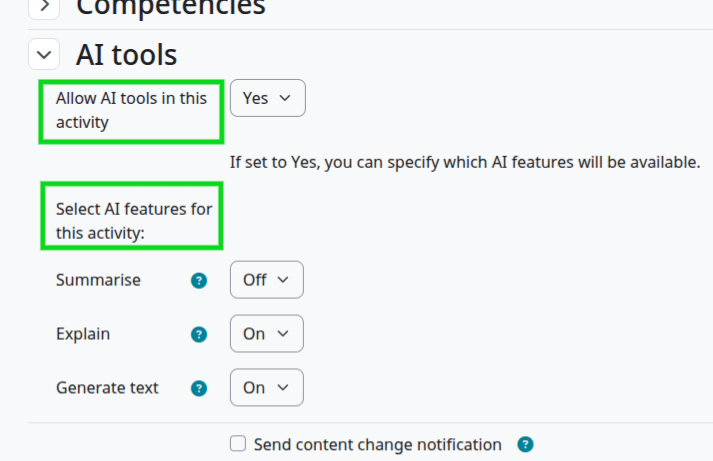
Allow AI tools in this activity 5.1+v1.3.1+
Teachers can turn AI tools on or off in their course via a course setting. If AI tools are enabled in a course, teachers can then specify which tools are available in an activity via the activity settings.