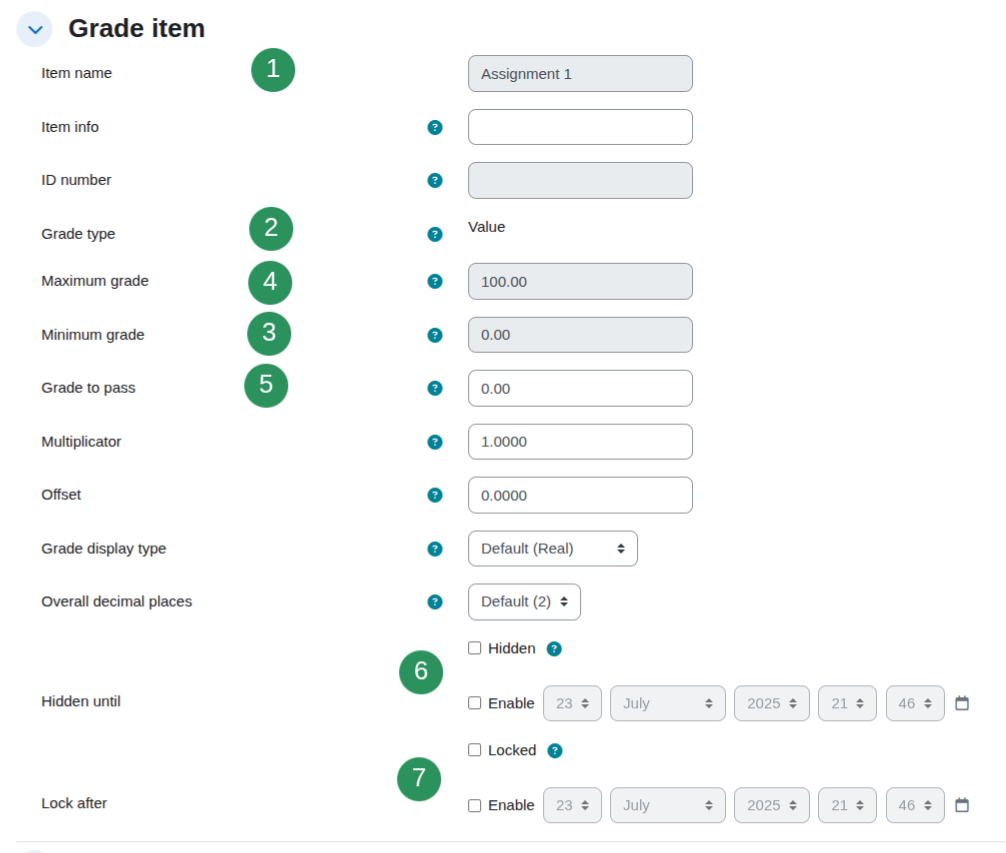
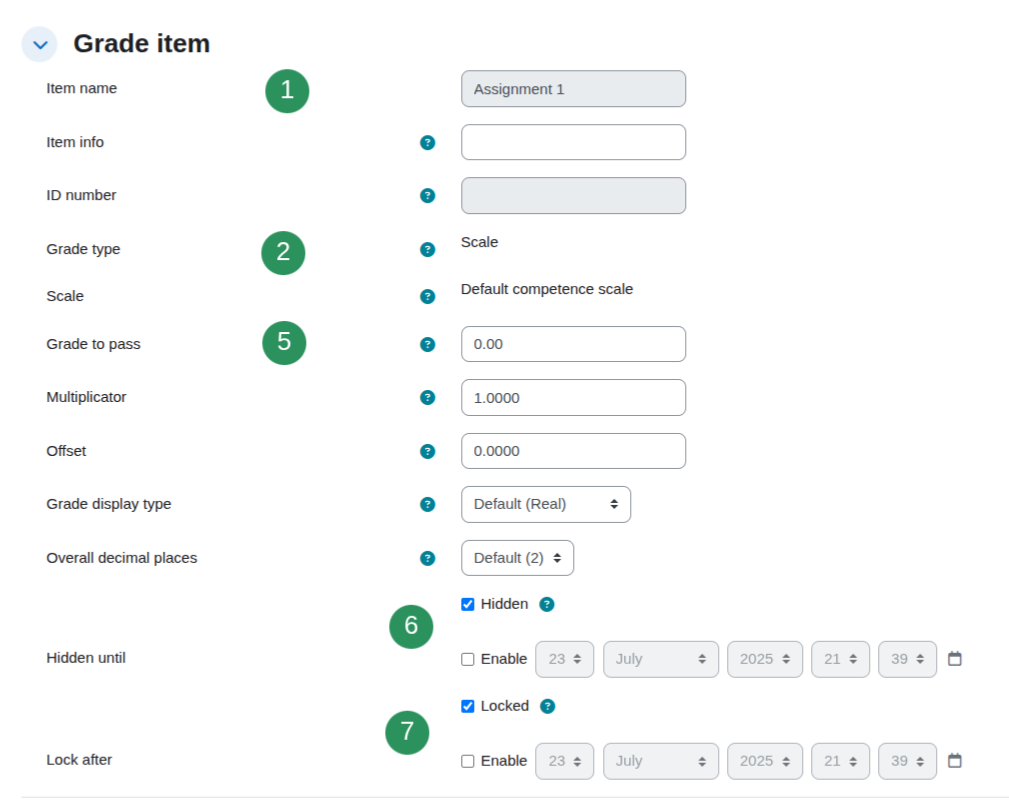
Mostly the same as the name of the activity. If an activity can have 2 grades (i.e. Forum or Workshop) then there are 2 corresponding grade items in the Gradebook
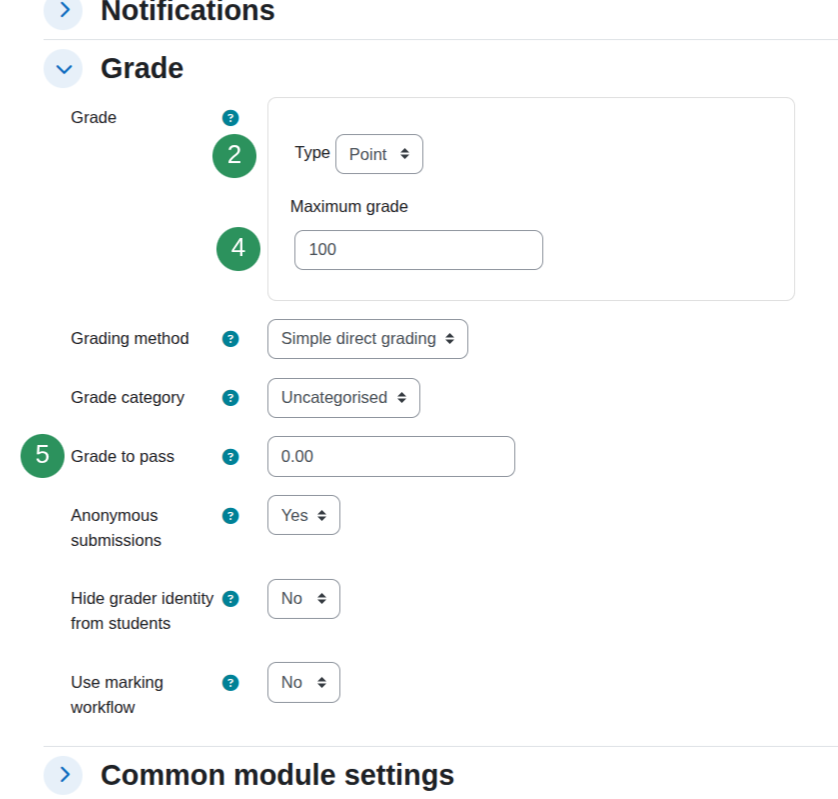
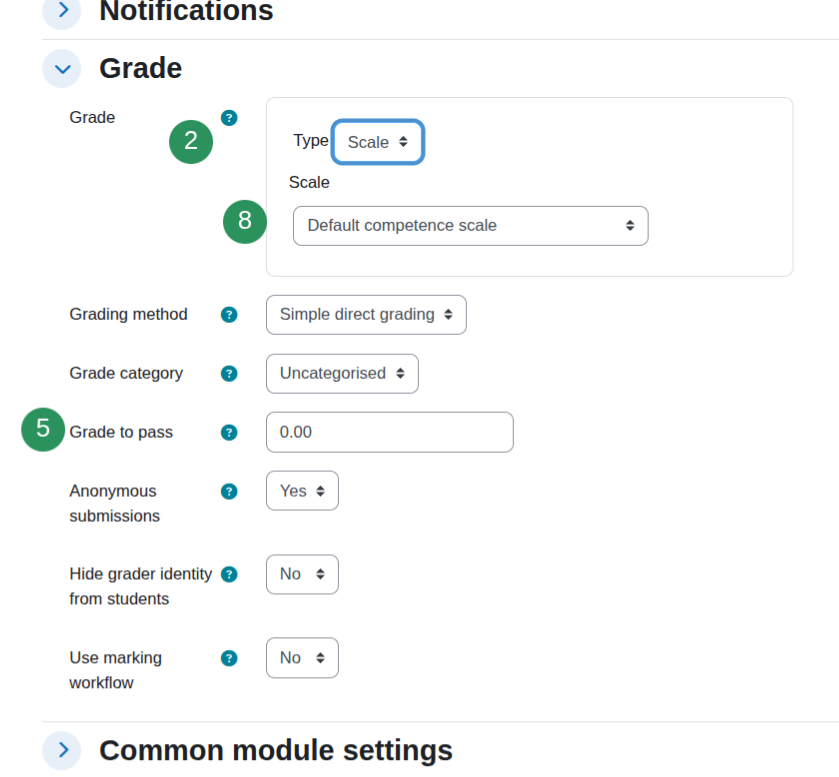
2. Grade type
3. Minimum grade
4. Maximum grade
Grade points
5. Grade to pass
6. Hidden
How can I hide grades?
7. Locked
How can I lock grades?
8. Scale
Scales
9. Last modified
Not available on the front end
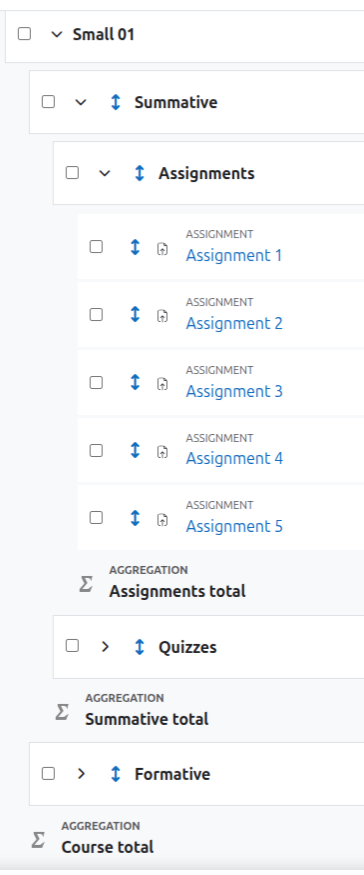
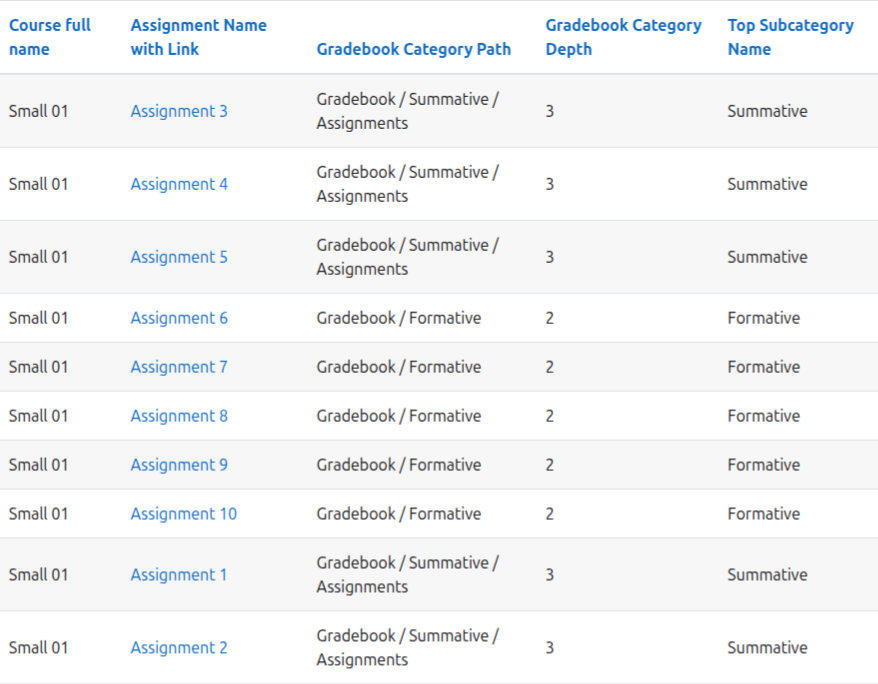
10. Gradebook Category Path v1.3.0+
The latest v1.3.0 release introduces advanced gradebook reporting capabilities, including Grade Category Path, Top Category Name, and Category Depth columns with dedicated filters. Whether you're reviewing course design, auditing assessment structures, or locating activities within large gradebook hierarchies, these new fields provide greater visibility into how grade items are organised and aggregated throughout the gradebook.