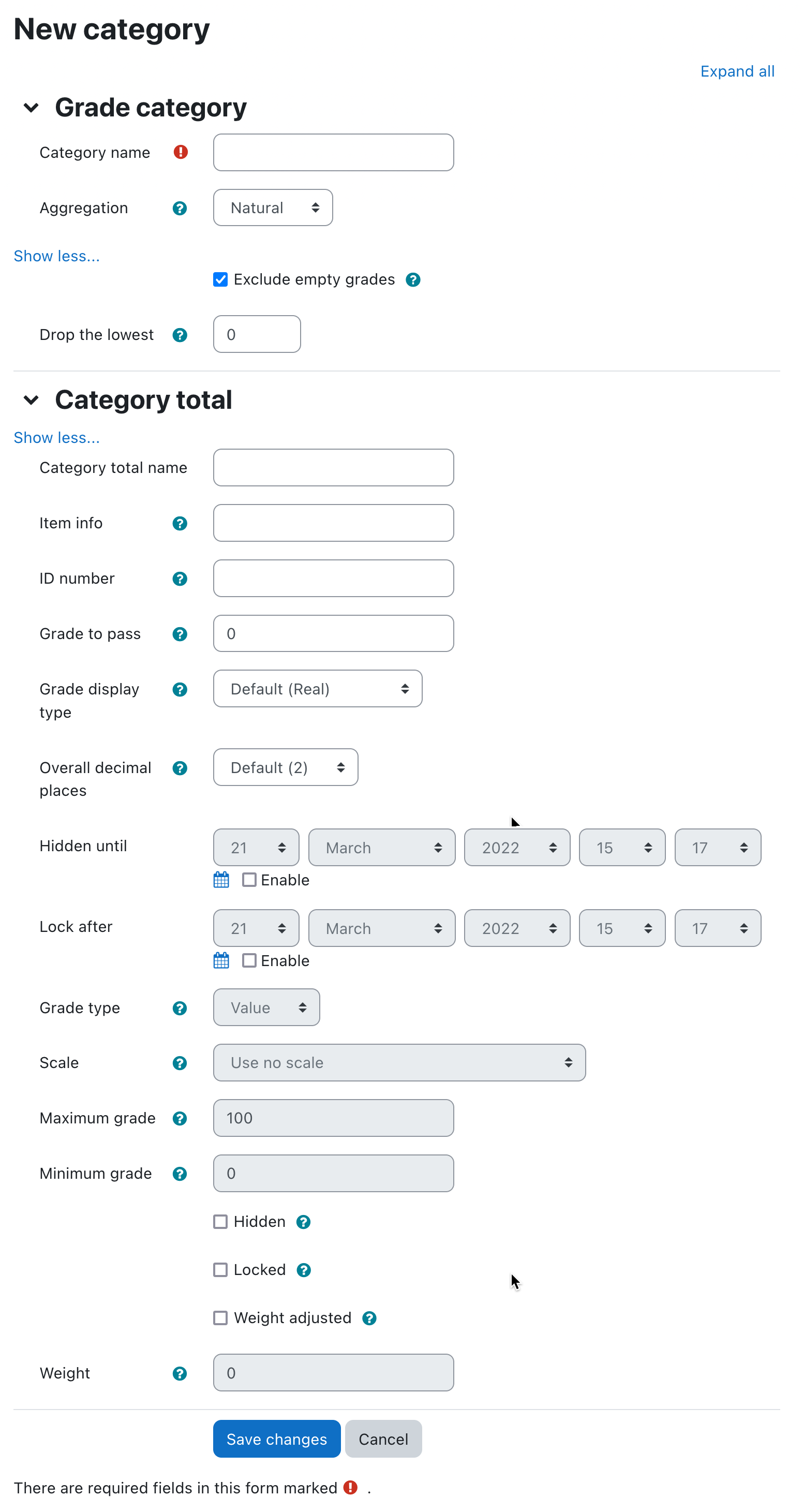
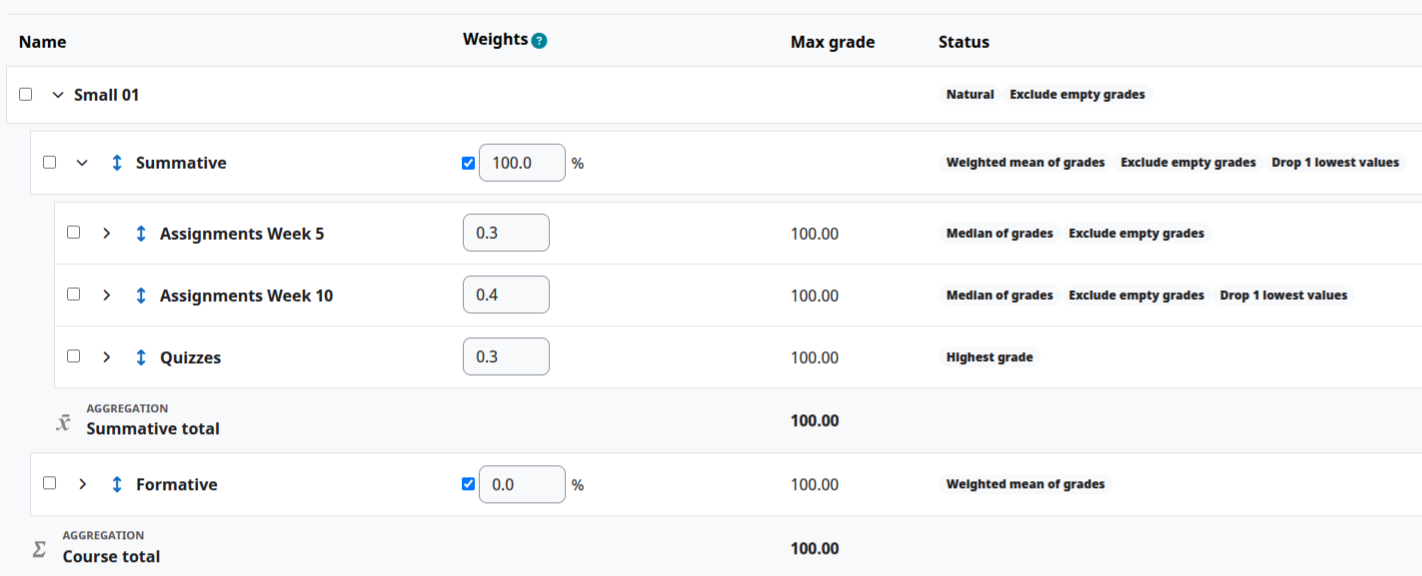
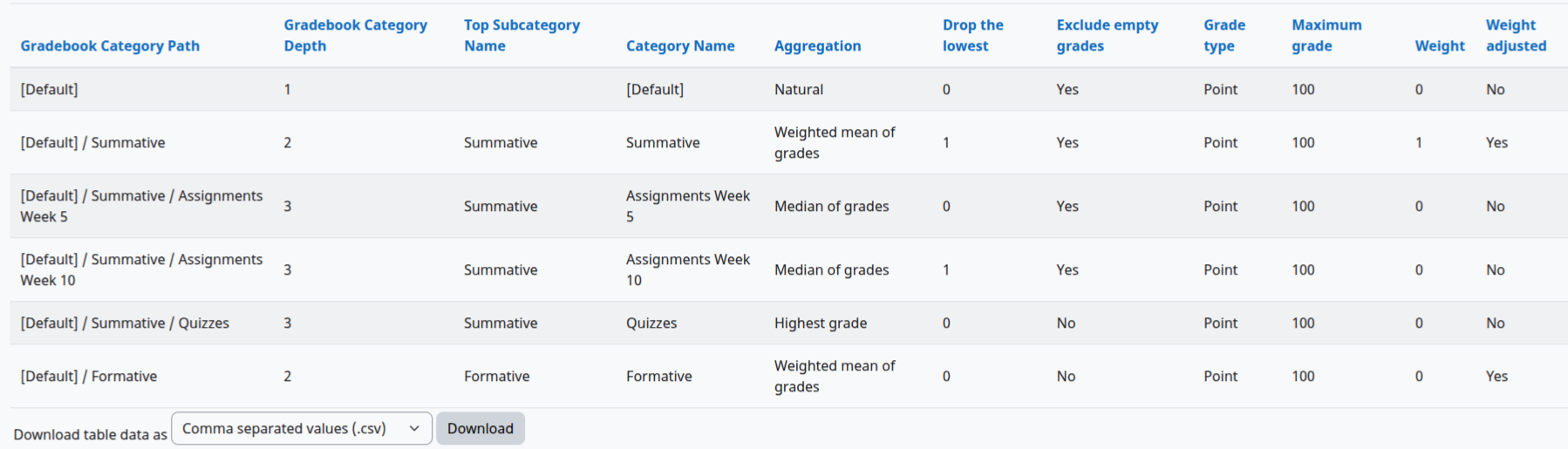
Unlike the course categories, this is not directly available on the front end, however it is visible in the Gradebook setup. The top/root category is the name of the course by default, but it is not stored in the database, so the report will display [Default] which can be changed in the language pack. The Top Subcategory Name is the category right under the root level, so the top man-made category.
Gradebook Category Depth
Top Subcategory Name
Category Name
Aggregation
Grade aggregation
Keep the highest
Drop the lowest
Exclude empty grades
Include learning outcomes in aggregation
Category Hidden
Category total name
By default it is the name of the category + total, but it can be renamed.
Item info
ID number
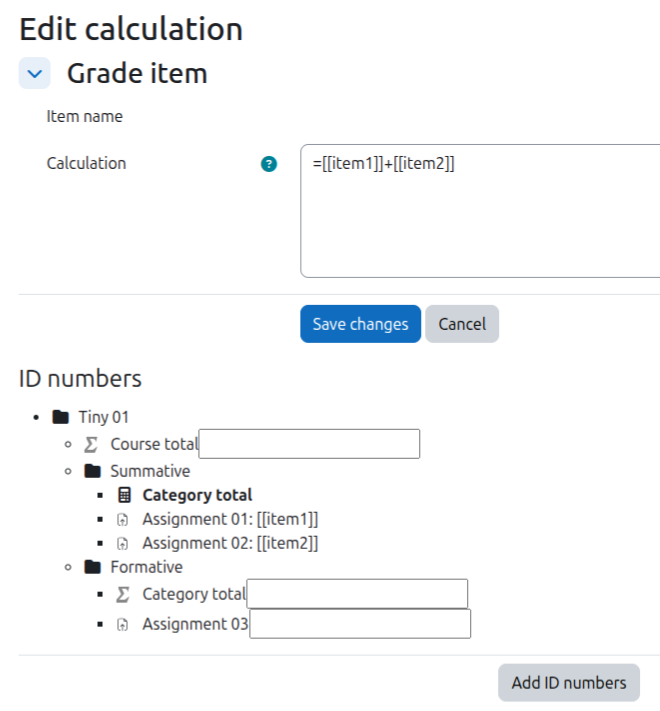
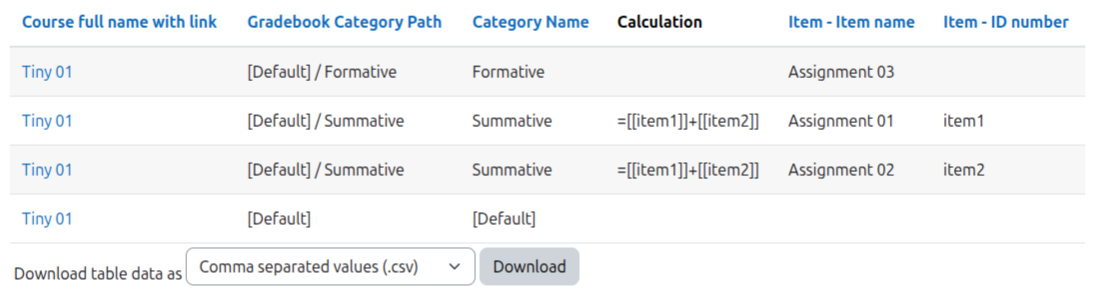
Calculation
limited
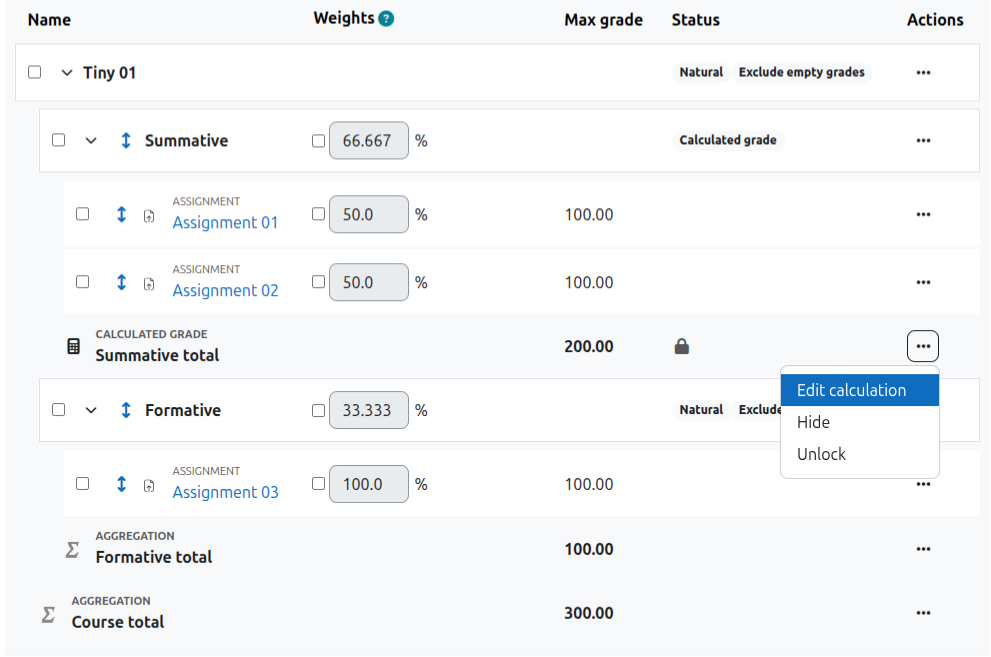
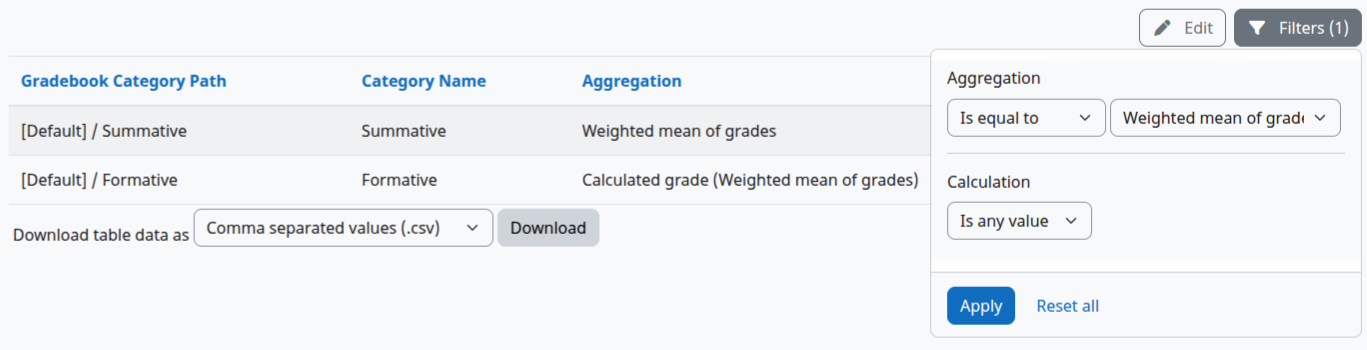
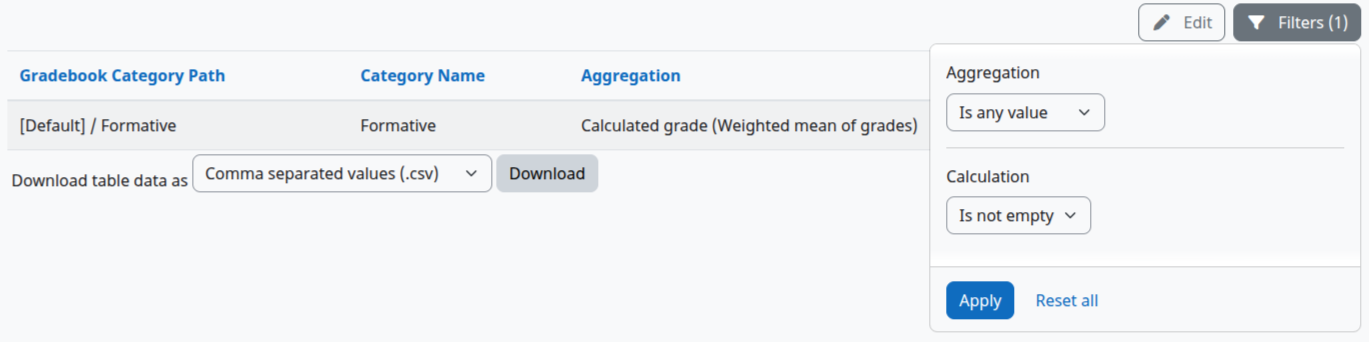
When the aggregation is replaced by calculation, the database still stores the original aggregation method. The report however will show you the original name in brackets and add the 'Calculated grade' as a prefix in the Aggregation column. The aggregation filter will ignore the prefix. The only way to find calculated grades is using the Calculation filter and set it to 'Not empty'
Grade calculations
Grade type
Maximum grade
Minimum grade
Scale
Grade to pass
Multiplicator
Offset
Extra credit
Weight
Sort order
Not available on the front end
Grade display type
Overall decimal places
Category Total Hidden
These fields can be
0 = not hidden/locked
1 = hidden/locked
timestamp = hidden until/locked since/(will be) locked after